Building Planets with TidalPy
In this notebook we will see how we can use TidalPy’s object oriented approach to build a layered planet.
[1]:
from pprint import pprint
from TidalPy.structures import build_world

# Turn this variable to True if you would like to learn more about TidalPy World's dictionary structure
print_configs = False
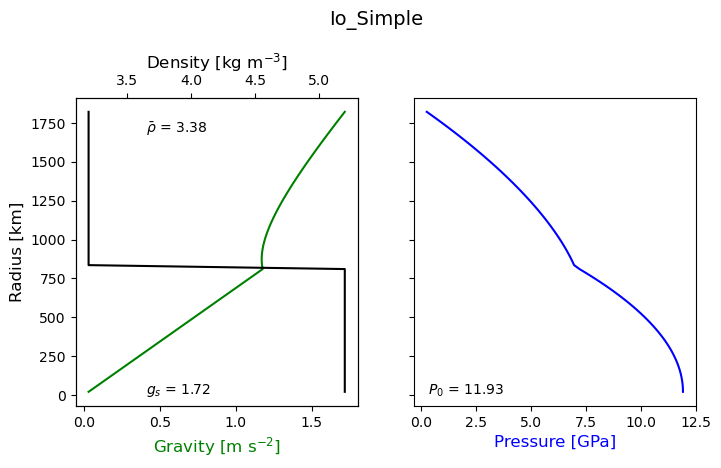
2-Layer Layered World
First we will start with a simple planet with only two layers. We will assume that the density of these layers does not depend on pressure.
[2]:
io_simple = build_world('io_simple')
if print_configs:
    pprint(io_simple.config)
_ = io_simple.paint()
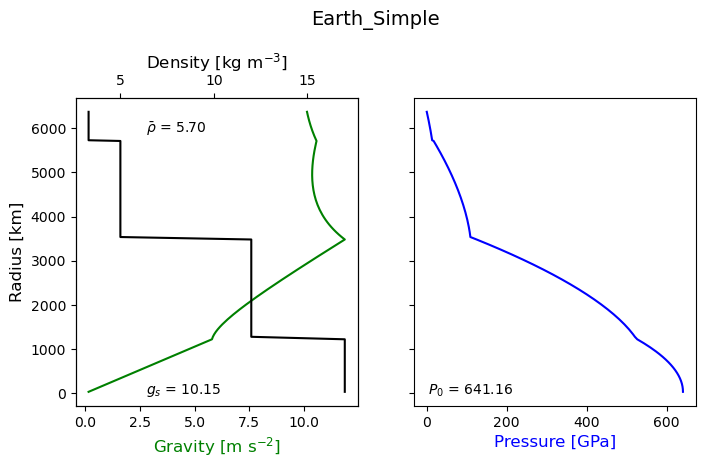
4-layer Layered World
Next we will look at a slightly more complicated planet that has four layers, but we keep the assumption that density does not change with pressure.
[3]:
earth_simple = build_world('earth_simple')
if print_configs:
    pprint(earth_simple.config)
_ = earth_simple.paint()
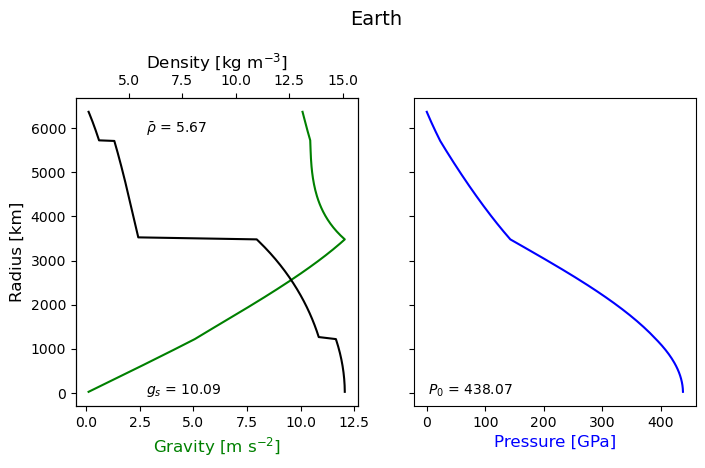
4-layer Burnman World
Finally, we will look a more realistic version of an Earth model where we use the Burnman package to calculate a self-consistent interior structure. Density will change with pressure and temperature. The functional form of this relationship depends on the equation of state which is different for each layer.
[4]:
earth = build_world('earth')
if print_configs:
    pprint(earth.config['layers'])
_ = earth.paint()
Warning: No module named 'autograd'. For full functionality of BurnMan, please install autograd.
Warning: No module named 'autograd'. For full functionality of BurnMan, please install autograd.